FluxFly opens soon. The first practices to sign up are contacted first.
Secretaries includedFree and unlimited
Nothing to installAt the practice and on your phone
FR · NL · ENFor the team and for patients
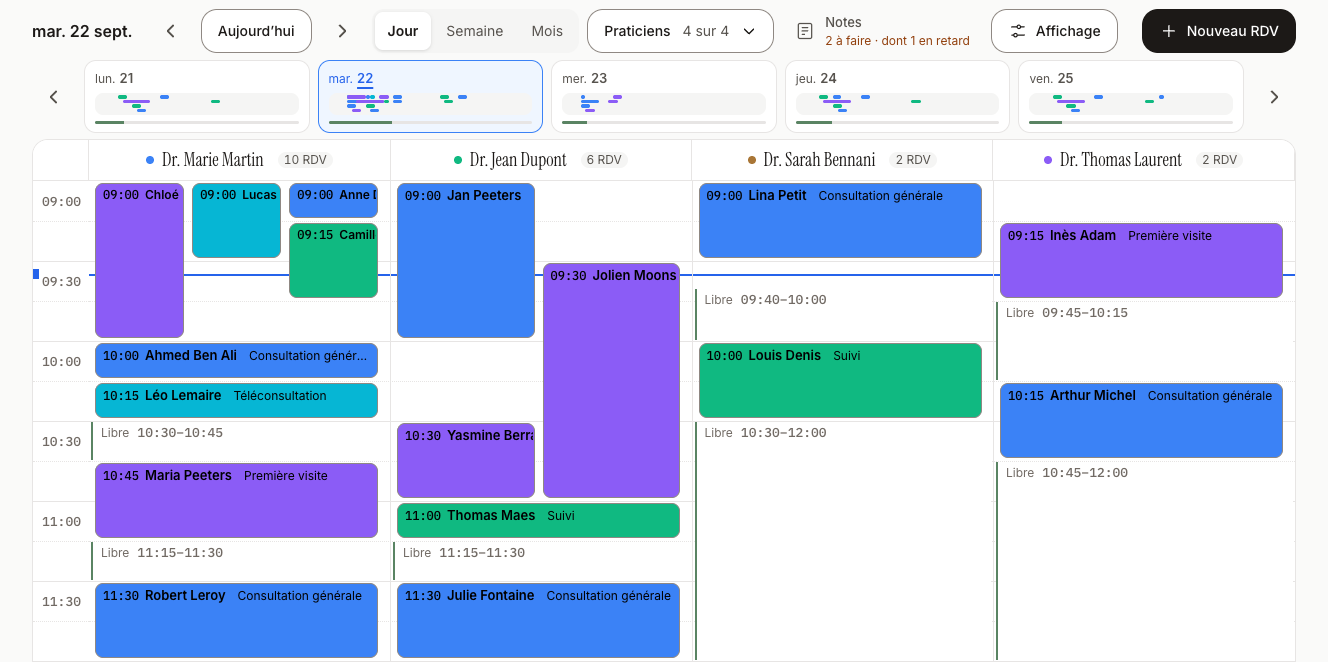
The whole practice, today
One click on a free slot: booked
The whole practice, today
Your job is caring for patients. The rest shouldn't take up your evenings.
The phone rings during appointments, and you call back in the evening. A patient forgets their appointment, and the slot stays empty.
FluxFly screenshots, fictional data.
Much more than online booking
FluxFly doesn't stop at the calendar. It brings together your practice's day, your patients, your team and your data, on the computer as well as on the phone.
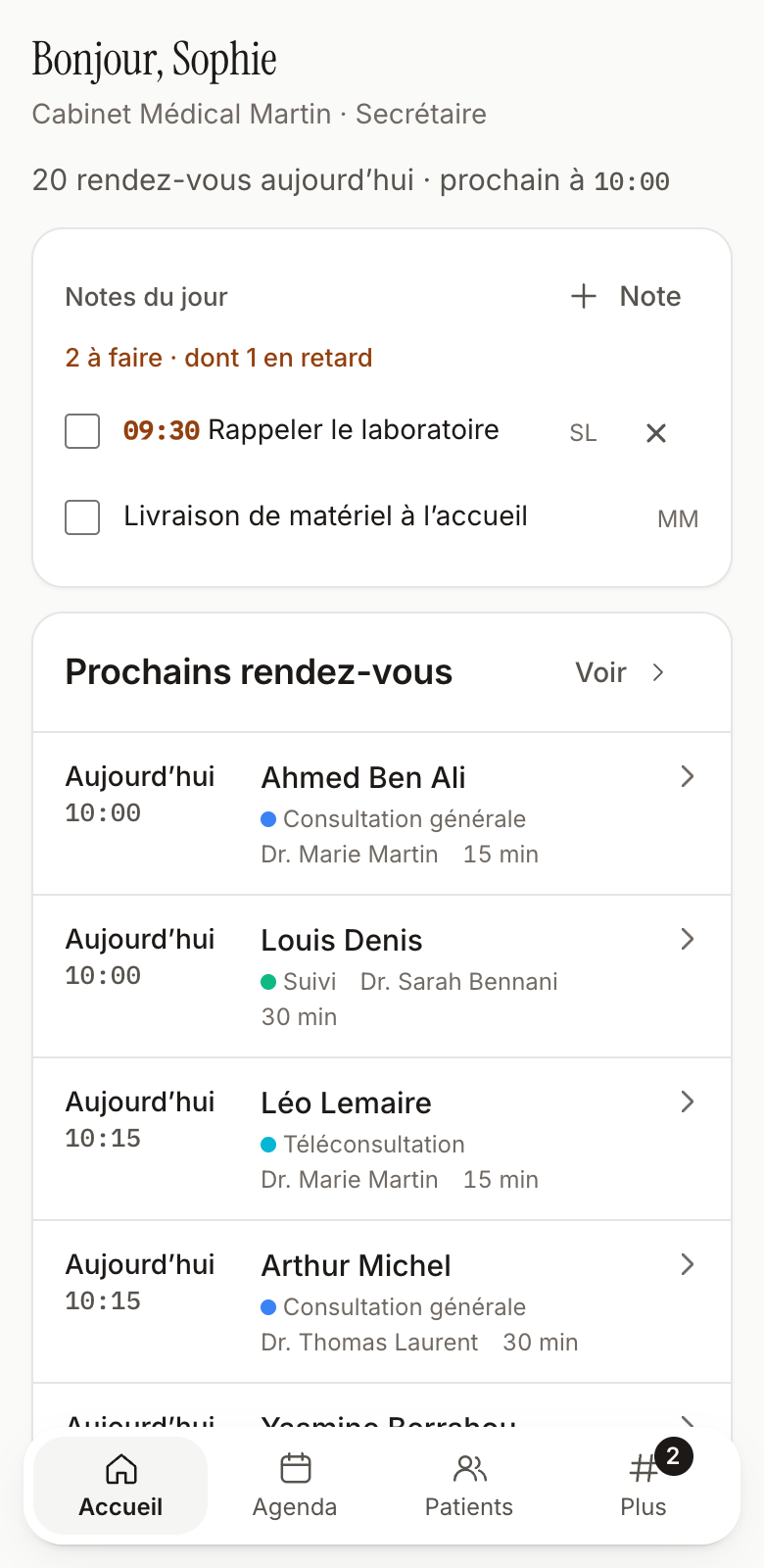
The whole practice at a glance, first thing in the morning.
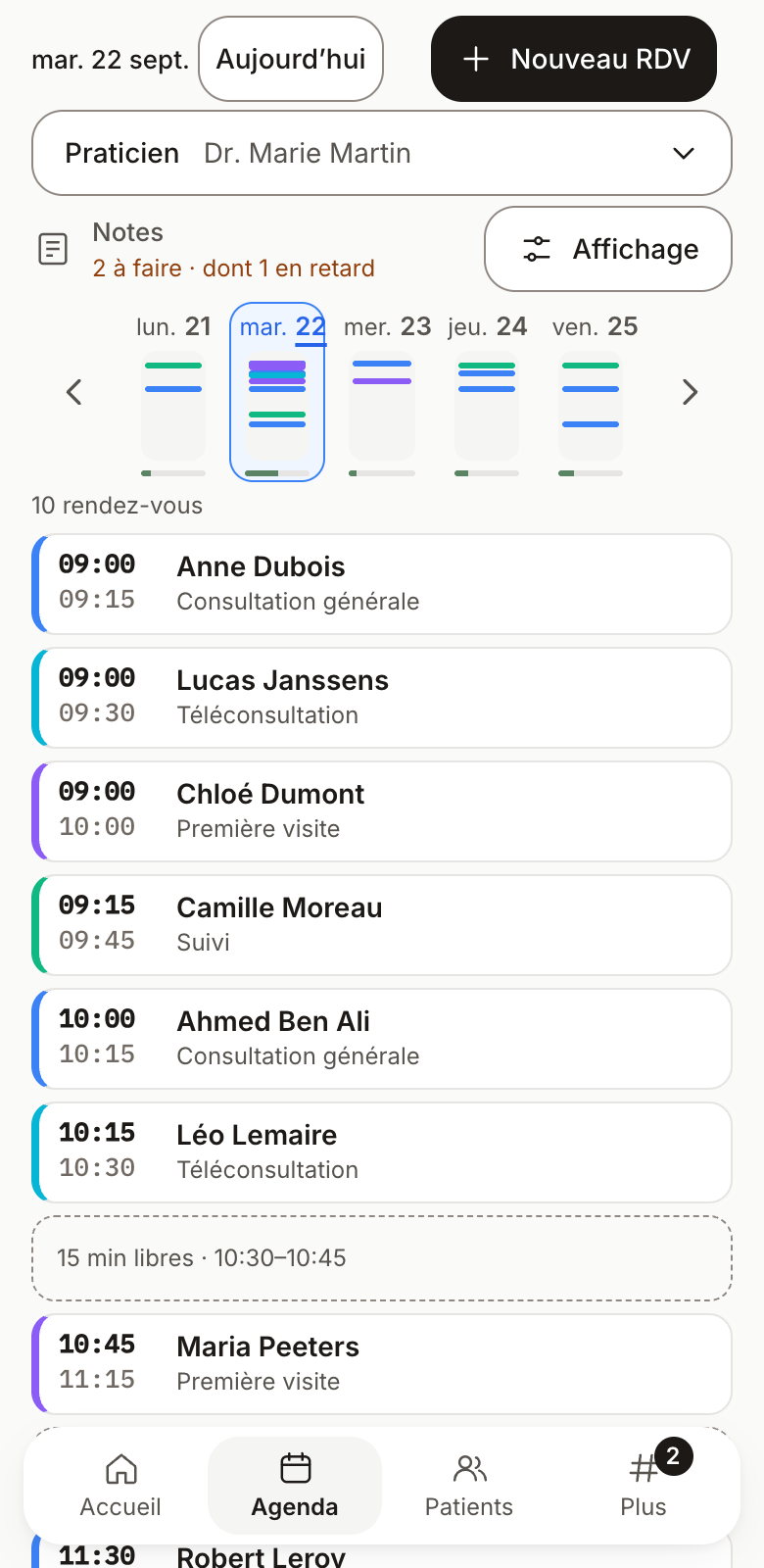
When you open FluxFly, you see the day: appointments, the next patient, notes for the day. A patient calls? The next free slots are already on screen.
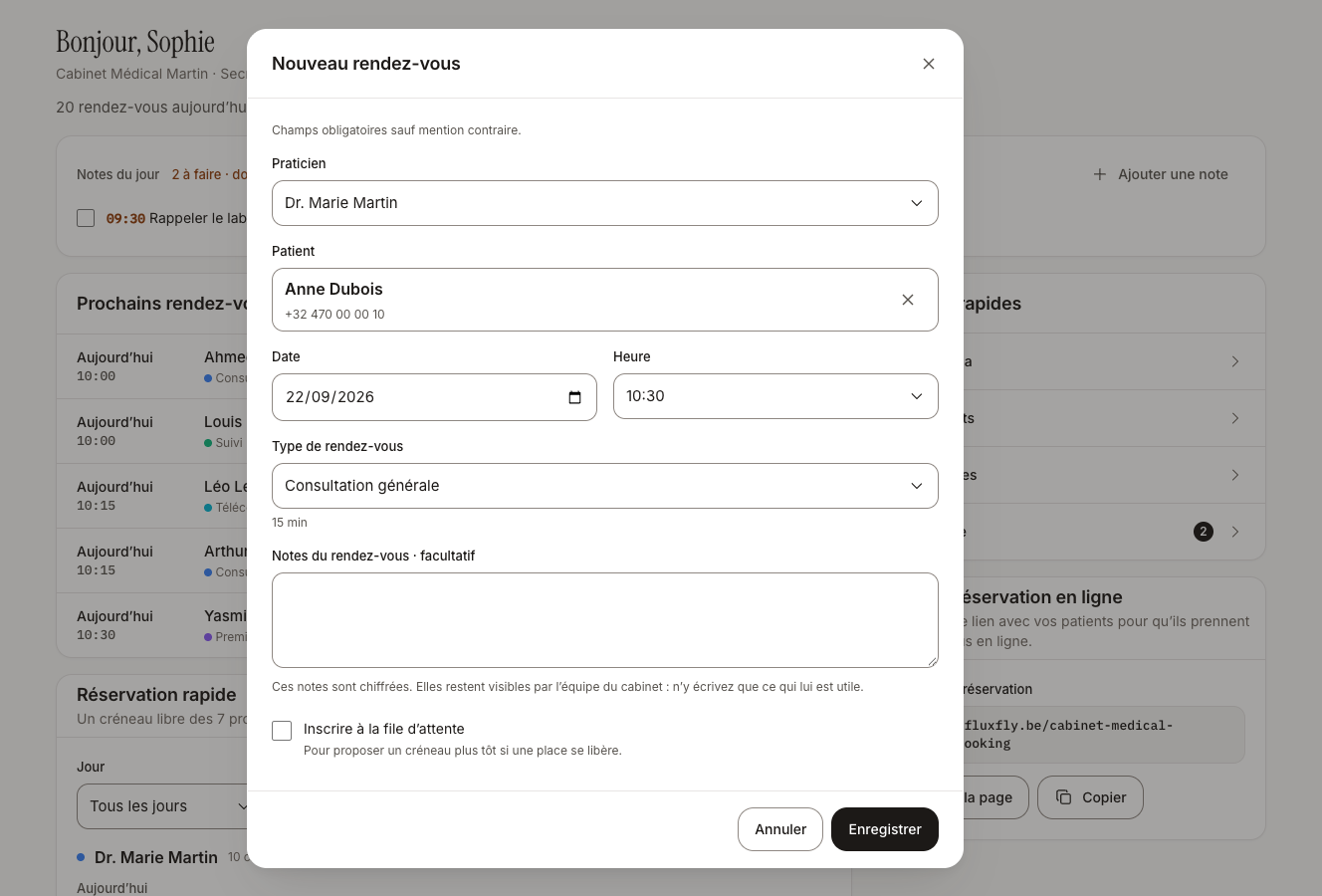
Practitioner, date, time: already filled in
Today's dashboard: each practitioner sees their own day, reception sees the whole practice.
Quick booking: click a free slot, choose the patient, and it's booked.
Statistics: appointments, no-shows, new patients, this week compared with last week.
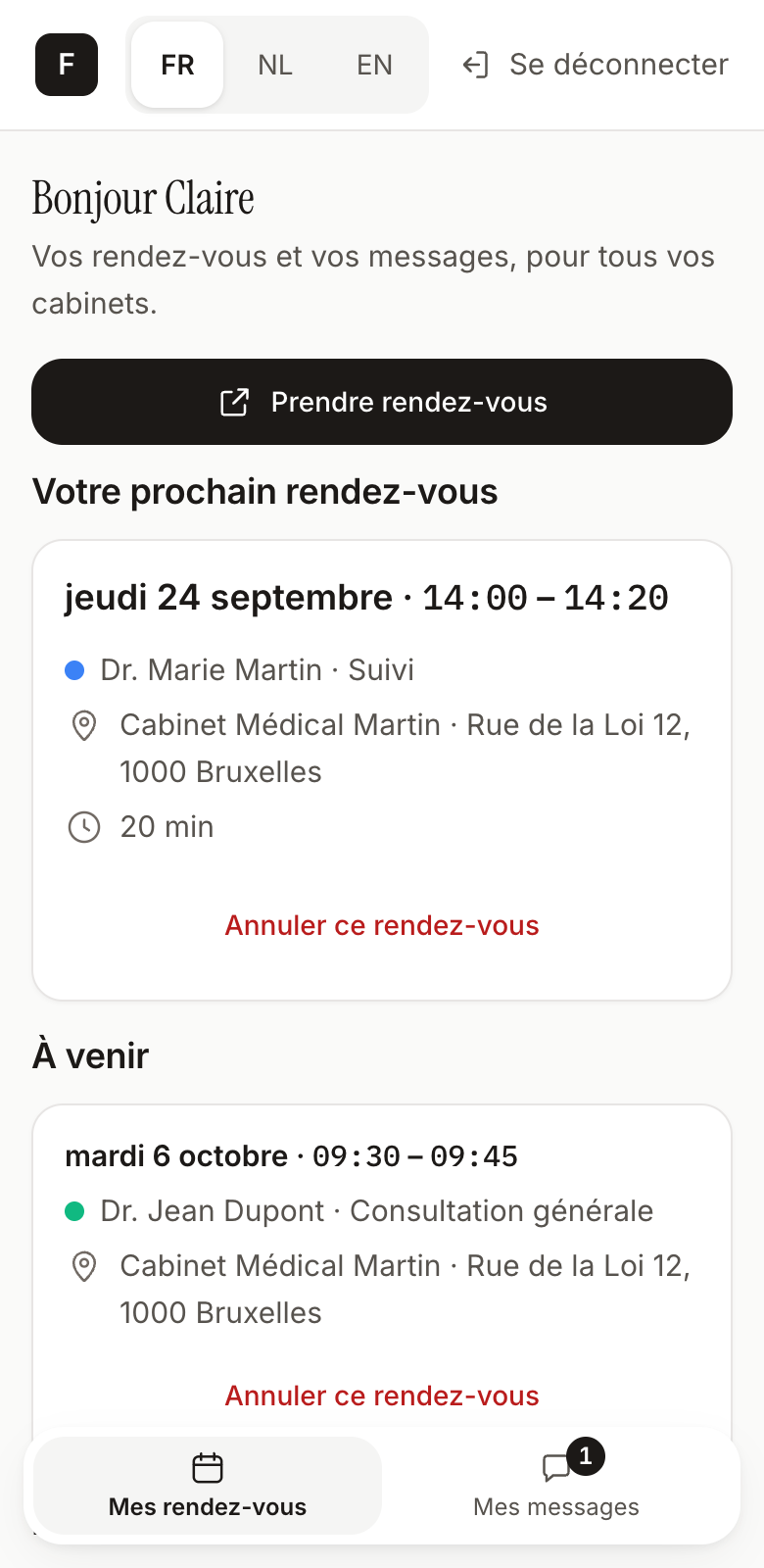
In the evening, at the weekend, between two appointments: your patients book online, on a page in your name. Not a directory where your colleagues appear next to you: your practice, and yours alone.
22:47
Booked online at
A page in your practice's colours: your logo, your colours, your appointment types.
For the whole family: a patient can also book for their children or relatives.
A patient space: everyone finds their upcoming appointments there, and can cancel them.
Fewer forgotten appointments, fewer gaps in the calendar.
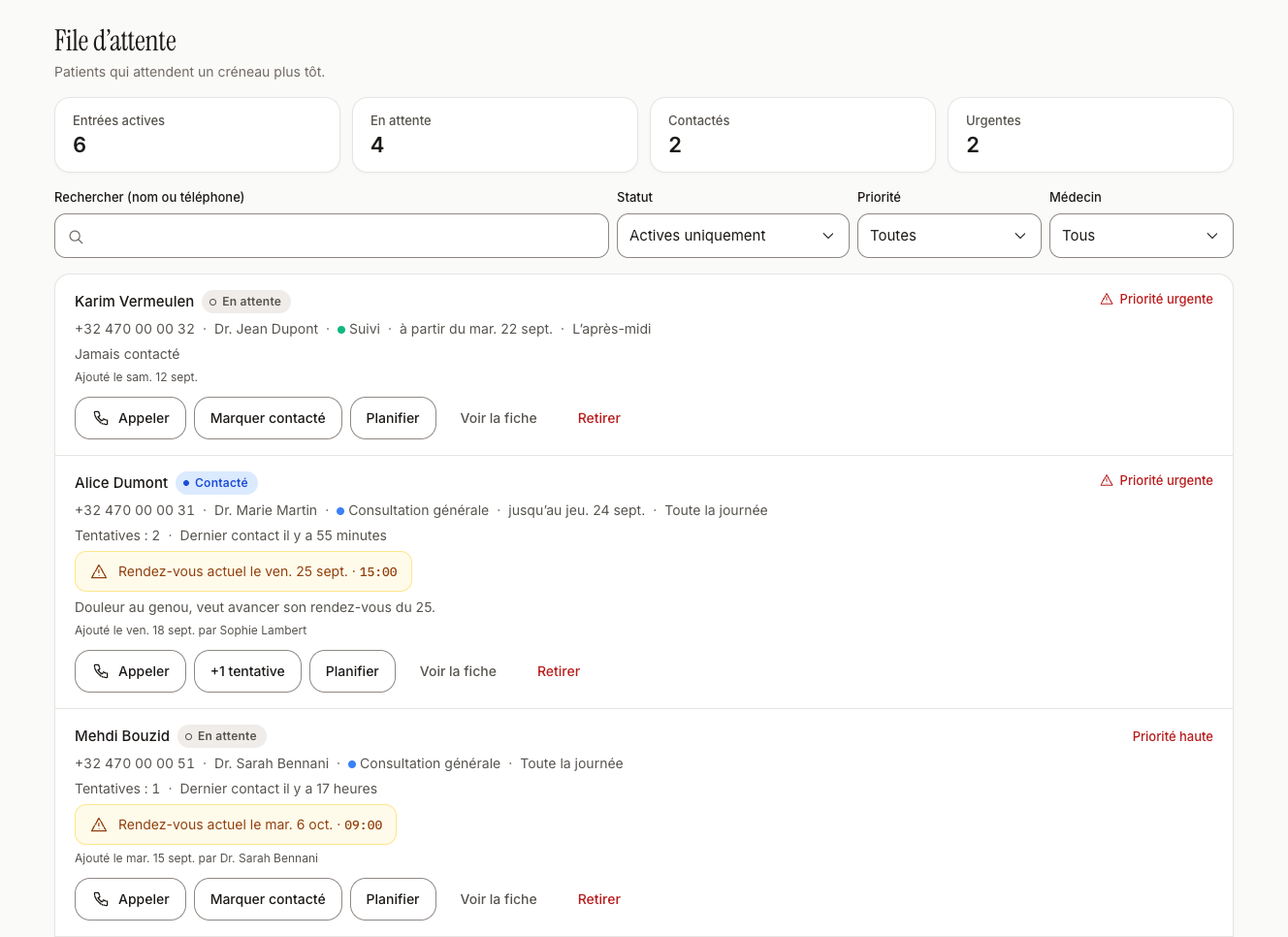
A forgotten appointment is a lost slot. FluxFly reminds your patients the day before. And when one of them cancels, their place can go to a patient who was waiting.
Booked online
The day before,
Reminder by text or email
Cancelled via a link
The slot goes back to the waiting list
An automatic reminder the day before, by email or text message, as the patient prefers.
Cancelling via a link: the patient cancels from their message, without calling, and the slot is free again.
The waiting list: when a slot opens up, FluxFly shows you the patients who wanted to come in sooner. You assign the slot, and the patient gets their confirmation.
Several practitioners, several specialties, a front desk: everyone has their own calendar, and the shared calendar shows the whole practice side by side. Online, two patients can never book the same slot.
Your secretaries are included, free and unlimited.
The whole practice side by side
Several specialties under one roof: each with its own colour, practitioners and appointment types.
Each practitioner's hours and leave, with a note for patients on the booking page.
Home visits: a dedicated appointment type and reserved time blocks in the calendar.
Frequently asked questions about FluxFly and online booking
When will FluxFly be available?
FluxFly opens soon to its first practices. Request a demo: we will be in touch to show it to you, and we will let you know as soon as it opens.
Is FluxFly right for my practice?
Yes, if you work by appointment. FluxFly is for GPs, specialists, dentists, physiotherapists and allied health professionals. On your own or in a group, with or without a front desk, and even with several specialties under one roof.
Does FluxFly replace my medical records or my billing?
No. FluxFly organises appointments and the day-to-day running of the practice: calendar, patients, reminders, team. It does not keep medical records and does not handle billing (INAMI/RIZIV, certificates of care). Your usual tools stay in place.
How can I reduce missed appointments at my practice?
The most effective way is to remind patients of their appointment. FluxFly does it for you: the day before, a reminder goes out automatically by email or text message, with a link to cancel. A patient who can't make it gives up their slot instead of not turning up, and you can offer it to a patient who was waiting for a place.
Will my older patients still be able to book by phone?
Yes. Online booking comes on top of the phone, it does not replace it. You add their appointment yourself, from the dashboard, and they can receive the same reminder.
Where is my patients' data stored?
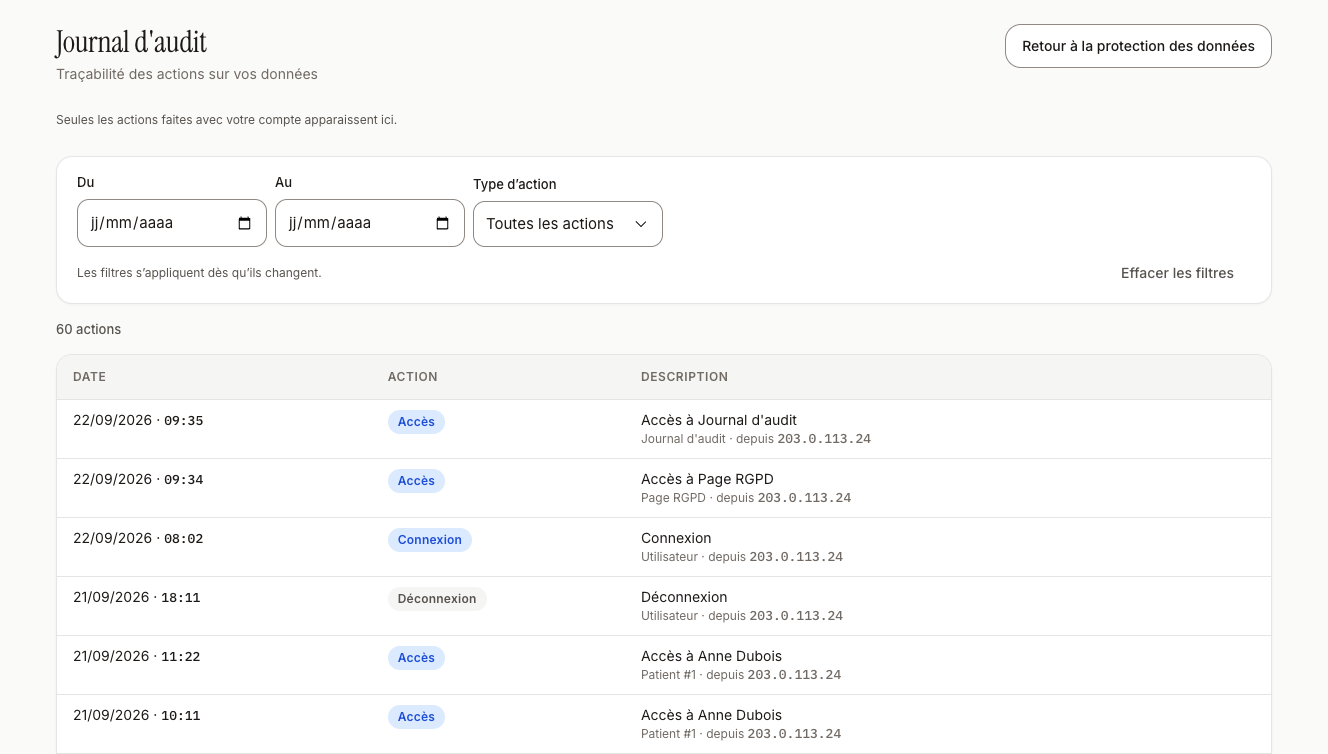
On a server in France, in the European Union. Each practice has its own closed space: no other practice can see your patients. A log keeps track of who viewed or changed what. And your data belongs to you: you can ask for an export.
How much does FluxFly cost?
A simple monthly subscription, per practitioner, with no set-up fee. For one practitioner, expect roughly the price of one consultation a month. The price we quote is the price you pay. We present the exact price and the details of the offer during the demo.
See what FluxFly changes for your practice.
We show you FluxFly and answer your questions. If you decide to go ahead, we set up your practice with you. And it's FluxFly's founder who answers you, not a call centre.
Request a demo
Leave us your details. We will contact you to show you FluxFly and answer your questions. A demo does not commit you to anything.
The first practices to sign up are contacted first.
Sending failed.Please check your details and resend the form, or email us at contact@fluxfly.be.